ga99 App
On Your Phone
The ga99 app brings slots, fishing games, live casino tables and crash titles straight to your Android handset. Top up with bKash or Nagad in under 3 minutes, and withdraw in about 38 minutes — all without opening a browser.
- 18+ Only
- SSL Encrypted
- 24/7 Live Chat
- bKash · Nagad · Rocket
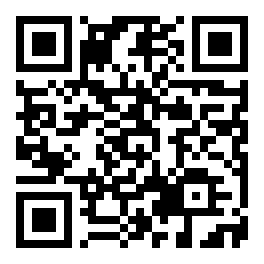
Scan to download ga99 APK
What You Can Do in the ga99 App
The app is not a stripped-down version of the site. Every game category, payment method and account feature is available from the home screen. Here is what you will use most.
Slots & Crash
Over 2,000 titles from Spribe, Habanero, Playtech and more. Crash games like Aviator run at native app speed — no lag, no browser refresh. Minimum bet starts at ৳1, which suits any budget from Dhaka to Chittagong.
Fishing Games
All-Star Fishing and God of Fish Slicing load instantly on the app's dedicated game engine. Touch controls on Android make aiming smoother than a desktop mouse. Bets range from ৳1 to ৳50,000 per round.
Live Casino Tables
Stream Evolution and Sexy Gaming live dealers in HD. The ga99 app buffers only once — after that, the video runs uninterrupted. Teen Patti, Double Exposure Blackjack and Andar Bahar are all one tap away.
bKash & Nagad Deposits
Open the Cashier tab, choose bKash or Nagad, enter ৳400 or more, and confirm the mobile-money PIN. The balance appears in your ga99 wallet within 3 minutes. Rocket and Bank Transfer are also supported inside the app.
Bonuses & VIP Progress
Your welcome bonus (120% up to ৳6,000), daily 1% cashback and VIP tier progress are all visible from the Promotions screen. You can claim a reload bonus of 30% without switching to the desktop site. Everything syncs in real time.
Push Alerts & Fast Login
Enable push notifications to catch time-limited offers before they expire. The app remembers your session for 30 days, so you will not be asked to log in every time. Use the same credentials as your ga99 login on the website.
Installing the ga99 APK on Android
Google Play does not list betting apps, so you install the ga99 APK directly. The process takes about two minutes and is safe when you download only from this page. Follow these five steps carefully.
-
1
Allow Installation from Unknown Sources
On Android 8.0 or later, go to Settings → Apps → Special App Access → Install Unknown Apps. Tap your browser (Chrome or Samsung Internet) and enable Allow from this source. This setting applies only to that browser and does not lower your phone's security globally. You can turn it off again after the install finishes.
-
2
Download the APK File
Tap the Download APK button on this page. Your browser will save ga99.apk (36 MB) to the Downloads folder. If a pop-up asks "Keep anyway?" or "This file may harm your device", tap OK / Keep — Android warns about all APKs, including safe ones. Do not download from any other website or Telegram group.
-
3
Open the APK and Tap Install
Pull down the notification shade and tap the completed download, or open the Files app and find ga99.apk in Downloads. Android will show the package info screen. Tap Install. The install usually takes 20–40 seconds. If your phone has Play Protect scanning turned on, it may show a warning — tap Install Anyway to continue.
-
4
Open the App and Log In
Tap Open after the install completes, or find the ga99 icon in your app drawer. Use the same username and password you created at ga99 Register. New players can register directly inside the app — the sign-up form is the same as the website and takes about 90 seconds to complete.
-
5
Deposit and Claim Your Welcome Bonus
Go to Cashier → Deposit and top up at least ৳400 with bKash, Nagad, Rocket or Bank Transfer. The 120% first-deposit bonus (up to ৳6,000) is credited automatically. Read the Bonus & VIP guide to understand the 24× wagering requirement before you withdraw the bonus funds.
iOS Users: Add to Home Screen
There is no native iOS app. The web version works on Safari and looks like a native app when pinned.
- Open ga99.click in Safari on your iPhone.
- Tap the Share button at the bottom of the screen.
- Scroll down and select Add to Home Screen.
- Rename the shortcut to ga99 and tap Add.
- The icon appears on your home screen. Tap it to launch the site in full-screen mode without the Safari toolbar.
Download ga99 APK – File Details
ga99.apk
Download ga99.apk (36 MB)
All-Star Fishing
Ezugi · RTP 96.1%

Ganesh Fortune
Playtech · RTP 97.3%

ga99 App vs Browser: Side-by-Side
Both the native Android app and the mobile browser site give you the full game library. But the app has a few practical advantages that matter for daily play — especially on slower mobile data connections common outside Dhaka.
| Feature | ga99 App | Mobile Browser | Desktop Browser |
|---|---|---|---|
| Full game library (2,000+ titles) | |||
| bKash / Nagad one-tap deposit | |||
| Push notifications for promotions | |||
| Persistent login (30-day session) | Depends on browser | Depends on browser | |
| Faster load on slow mobile data | Cached assets | Reloads each visit | Reloads each visit |
| Live dealer HD video stream | |||
| Bonus claiming & VIP tracker | |||
| 24/7 live chat support | |||
| App size | 36 MB | — | — |
| Available on Play Store | APK only | N/A | N/A |
| iOS native app | Safari + Add to Home | N/A |
Permissions the App Requests — and Why
The ga99 app asks for only four Android permissions. It does not access your contacts, messages, camera or microphone. Here is what each permission does.
Internet Access
Required to connect to game servers, load live dealer video and process bKash / Nagad transactions. Without it the app cannot function. All data travels over TLS 1.3 — the same encryption standard used by banks. Your payment details are never stored on the device itself.
Push Notifications
Used only for promotional alerts and withdrawal confirmations. You can disable notifications at any time in Android Settings without affecting gameplay. The app will never send marketing messages between 10 pm and 8 am to avoid disturbing you. No personal data is shared with third-party ad networks.
Storage Read / Write
Needed to cache game assets so they load faster on repeat visits — especially useful on patchy LTE connections outside major cities. The app writes only to its own sandboxed folder; it cannot read other apps' files. You can clear this cache anytime in Android Settings → Apps → ga99 → Storage.
Vibration
Provides haptic feedback when you win a round or a bonus triggers. This is a purely cosmetic feature and carries no privacy implications. It can be disabled by turning off vibration globally in your handset's sound settings. The app does not use the vibration API to detect your location or activity.
System Requirements & Version Info
These are the current specs for ga99 app version 2.7.6. If your phone does not meet the Android requirement, the mobile website at ga99.click works on any browser from Android 6.0 onwards.
Recommended Setup
-
Android 10 or newer
Smoother animations and better RAM management for live casino streams.
-
2 GB RAM or more
Prevents the live table from pausing when a WhatsApp notification arrives.
-
4G LTE or Wi-Fi
Slots and fishing work fine on 3G, but live video tables need at least 4 Mbps stable.
-
100 MB free storage
36 MB for the APK plus about 60 MB for the game cache after your first session.
Install Problems: Quick Fixes
Most ga99 APK install failures are caused by one of five predictable issues. Find your error message below and follow the fix — usually under 60 seconds.
| Problem | Likely Cause | Fix |
|---|---|---|
| "Install blocked" message appears | Unknown sources permission has not been enabled for the browser you used to download. Each browser is listed separately in Android settings. | Go to Settings → Apps → find your browser → Install Unknown Apps → toggle ON. Then try again. |
| "App not installed" error after install | An older version of the ga99 app is already on the phone with a conflicting signature, or the downloaded APK file is corrupt (download was cut off). | Uninstall any existing ga99 app first. Delete the APK and re-download it on a stable Wi-Fi connection, then install again. |
| APK file does not open after download | Your file manager is not set as the default app to handle APK files. Some budget Android phones hide APKs from the Downloads folder. | Open the Files app → Downloads → long-press ga99.apk → Open with → Package Installer. If not visible, enable "Show hidden files" in the Files settings. |
| App crashes on first launch | Insufficient RAM (less than 1 GB free) or Android version below 8.0. Budget phones running custom Android forks occasionally have compatibility issues. | Restart your phone to free up RAM, then relaunch. If it crashes again, use the mobile website in Chrome — it carries the full game library. |
| Login screen shows "Network Error" | Your carrier or router DNS may be blocking ga99.click. This is a DNS-level block, not an app problem. The APK itself installed correctly. | Switch from mobile data to Wi-Fi (or vice versa). Alternatively, change your phone DNS to 1.1.1.1 in Wi-Fi settings. Contact 24/7 live chat if the issue persists. |